Best Place to Post Your Event Online
Help you compare your options. Get in front of the right people.
City Calendars if you want your event to be found locally. Eventbrite if you need to sell tickets. Meetup if your event will be held monthly. And Linkedin events if you want professionals to come to your event. You can post your event in many places online. All you need is one ticket/registration page.
USA & Canada coverage | $2/day per listing | Save up to 30%
Where Should You Post Your Event?
Where do you want people to find your event? And what do you want them to do once they get there?
Live Entertainment Guide
Eventbrite
Meetup
LinkedIn Events
For a local public event, a practical combination is an event or ticket page, a relevant city calendar, and the social channels your audience already uses.
This guide is published by Live Entertainment Guide LLC, which operates the paid city-calendar listing service described below.
Compare Four Places to Post Your Event
Live Entertainment Guide
Local event promotion across the USA & Canada
Add your event to one city calendar, select multiple cities, or choose all participating cities in the USA or Canada. Your listing appears alongside upcoming events and links visitors to your existing ticket, registration, or event website.
$2/day per listing
Save up to 30% on longer placements. Your total depends on the cities and dates you select.
Best for: Concerts, shows, festivals, nightlife, family activities, and community events seeking local or broader geographic coverage.
Pros
+ Affordable daily pricing with discounts for longer placements.
+ Choose one city, multiple cities, or all participating cities in the USA or Canada.
+ Keep your existing ticket or registration website.
+ Select the listing dates that fit your promotion schedule.
Cons
- Placement does not guarantee views, ticket sales, or attendance.
Eventbrite
Event pages, ticket sales & registration
Eventbrite lets organizers publish an event page and manage bookings in one place. Its public marketplace also lets visitors discover events.
Free event publishing
U.S. paid-ticket fees: 3.7% + $1.79 per ticket, plus 2.9% processing per order. Free tickets have no ticketing fees. Advertising costs extra.
Best for: Organizers who need ticketing and registration tools alongside an event page.
Pros
+ Event publishing and ticketing in one platform.
+ No ticketing fees for free tickets.
+ Public events can appear in its discovery marketplace.
+ Tools for managing registrations and attendees.
Cons
- Paid tickets carry service and processing fees.
- Passing fees to attendees increases their checkout total.
- Advertising adds to your promotion budget.
- Publishing does not guarantee visibility or ticket sales.
Meetup
Recurring events & shared-interest communities
Meetup is built around groups. It suits organizers who want to bring people together regularly, stay in touch between gatherings, and build a community around a shared interest.
Organizer subscription plans
Plans and charges vary. Check the options available to your account, billing period, and location before committing.
Best for: Hobby clubs, social groups, classes, networking meetups, and recurring community activities.
Pros
+ Organize around specific interests.
+ Build relationships through recurring gatherings.
+ Communicate with members between events.
+ Manage RSVPs within a group.
Cons
- Paid organizer subscriptions create a recurring expense.
- An active community takes time and regular engagement.
- The group format may be less suitable for a single standalone show.
LinkedIn Events
Professional audiences & business networking
Create an event through a professional profile or company Page, then share it with your network. LinkedIn Events suit business topics where attendees' professional backgrounds matter.
Free event creation
Optional advertising and external streaming tools may cost extra.
Best for: Webinars, industry discussions, conferences, business workshops, and professional networking.
Pros
+ Free to create an event.
+ Promote through existing professional connections.
+ Associate an event with your profile or company Page.
+ Support online and in-person gatherings.
Cons
- Audience fit may be limited for nightlife and family entertainment.
- Organic reach depends partly on your network and engagement.
- Advertising requires an additional budget.
- LinkedIn Live has eligibility requirements.
Flexible Coverage. Strong Value for Event Promotion.
- For organizers with an existing ticket website, Live Entertainment Guide offers a straightforward combination: city calendar placement, flexible geographic coverage, and a $2/day listing rate, with savings of up to 30%.
- Choose one city for a local event, several cities for a wider audience, or all participating calendars in the USA or Canada. Your existing ticket provider continues to handle bookings.
- If you also need ticketing, a recurring community, or professional networking, use the relevant platform alongside your calendar listing.
Where Can You Post an Event for Free?
Check community calendars, venue websites, and relevant social channels. Some accept free submissions, although eligibility, geographic coverage, and review deadlines vary. Eventbrite also offers free event publishing. Free submissions and paid placements serve different needs. Before choosing, check whether publication is guaranteed after approval, where the event appears, how long it remains visible, and whether extra promotion costs more.
Live Entertainment Guide listings are paid, including listings for events with free admission.
Choose Your Event Promotion Coverage
One City
Multiple Cities
USA or Canada
How Much Does Calendar Placement Cost?
$2 / day per listing
The standard rate before eligible discounts.
The calculator applies the eligible discount and displays your total before payment. Placement can run for up to six months and must end no later than your event concludes.
| Listing period | Discount |
|---|---|
| Up to 30 days | Standard rate |
| More than 30 days | 10% |
| More than 90 days | 20% |
| Full six months | 30% |
For example, a 14-day listing costs $28 before any applicable taxes. A 31-day placement costs $55.80. Additional selected cities increase the total.
What Does Your Event Listing Include?
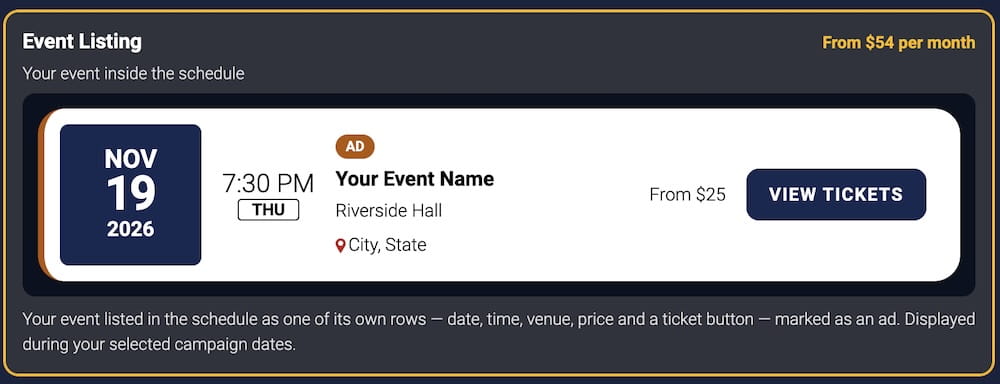
- Your approved event appears as a sponsored listing in the calendars for the selected city. Visitors can review the event information and follow its link to your ticket, registration, or event website.
- You keep the booking process you already use. The organizer and linked provider handle ticket sales, registration, and attendee support.
From discovery to your booking page
City calendar placement
Your event appears alongside upcoming activities in the selected locations.
A direct link to your website
Interested visitors continue to your event or ticket page to book.
How to Post Your Event
1. Select Your Cities
Choose one city, multiple cities, or all participating city calendars in the USA or Canada.
2. Add Event Details
Provide the event name, date, start time, venue name, complete address, description, image, and ticket or registration URL.
3. Choose Listing Dates
Select your placement period and review the cities, discount, and total before submitting.
4. Review & Placement
We review submissions within three business days after receiving complete materials. Placement begins after approval.
What Events Can You Submit?
Concerts | Theatre | Comedy | Festivals | Nightlife | Family activities | Community events
You must be authorized to promote the event and use all submitted content.
Illegal activities, online casinos, gambling, pornography, and sexually explicit entertainment are not accepted. Every submission is reviewed before placement.
Prepare Your Event Before Posting
A visitor should quickly understand what is happening, where it takes place, and how to attend.
Keep these details consistent across platforms. Submit ahead of your intended placement date, and notify us promptly if event information changes.
- Use the actual event name.
- Include the date, start time, and full venue address.
- Explain what guests can expect.
- Use a clear image you have permission to publish.
- State age restrictions and admission requirements.
- Link directly to the correct booking or event page.
Frequently Asked Questions
What is the best place to post a local event online?
A relevant city calendar is a useful option for local discovery. Pair it with your ticket or registration page and the channels your audience uses. Live Entertainment Guide offers paid placement in participating city calendars across the USA and Canada.
Where can I post an event for free?
Many community calendars, venues, and social channels let you submit your event for free. Eventbrite will allow you to publish your event for free, but if there is a ticket price, there will be a fee. All events listed through Live Entertainment Guide will have a cost even if your event is free.
Can I promote one event in multiple cities?
Yes. You can select one city, multiple cities, or all cities that participate in our calendars across the US or Canada. Price will vary based on the number of cities you select and how long you want your listing to run.
How much does Live Entertainment Guide charge?
The standard rate is $2/day per listing, with discounts of up to 30% for longer placements. The calculator shows the eligible discount and total before payment.
When will my event be listed? How long can it be listed?
Once we receive all information for your submission, it will be processed within 3 business days. It can be listed as soon as it's approved and can be listed for up to 6 months or until the end of your event.
Do I need to change my ticket provider?
No, you can use your current ticket/registration/event link. When people click on your calendar event, they will be directed to that link. Your organization or ticket provider will continue to fulfill tickets and support attendees.
Put Your Event in the Right City Calendars
Choose your coverage across participating cities in the USA and Canada. Listings cost $2/day, with savings of up to 30% on longer placements.